Welcome to Your Dashboard
After signing in, you’ll land on your GitHub dashboard. This is your central hub for activity. The dashboard shows updates from repositories you follow, your recent commits, pull requests, and notifications. It’s designed to be your personal feed of GitHub activity.
Exploring Your Profile
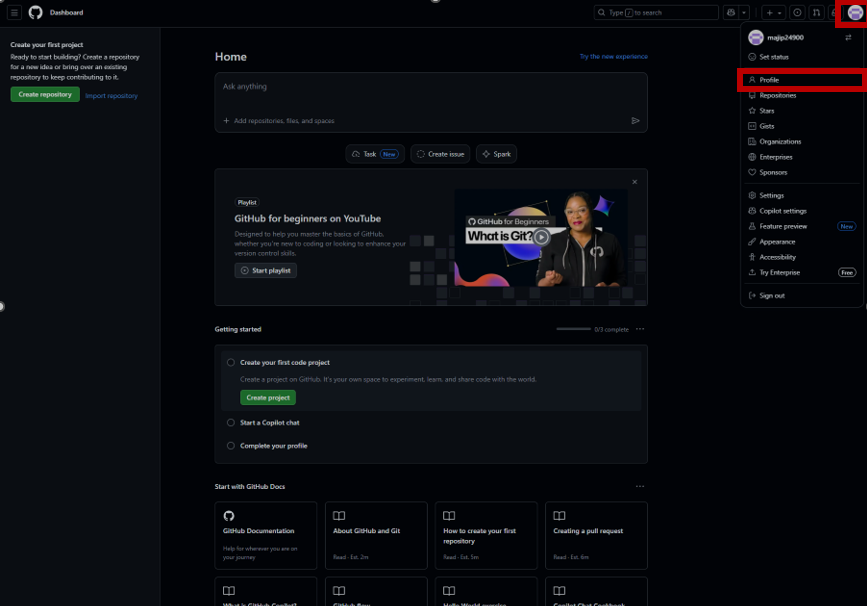
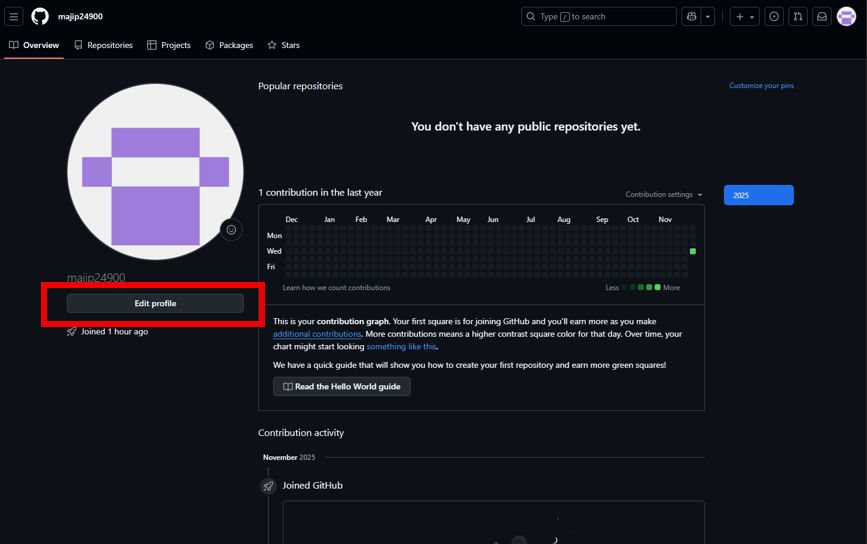
Your profile is different from the dashboard. It’s what other users see when they visit your account, and it organizes your contributions into clear sections:
- Overview: Shows pinned repositories and highlights your recent activity.
- Repositories: Lists all the projects you’ve created or contributed to.
- Projects: Boards for organizing tasks and issues.
- Packages: Any software packages you’ve published.
- Stars: Repositories you’ve bookmarked to revisit later.
- Organizations: Groups you belong to, useful for team collaboration.
Tips for Beginners
- Use the search bar at the top to find repositories, users, or topics quickly.
- Explore trending repositories to see what others are building and learn from their code.
- Pin your favorite repositories to your profile for quick access.
- Fork repositories to experiment without affecting the original project.
- Check the Issues tab to report bugs or contribute fixes.
- Visit GitHub Explore for curated projects and topics tailored to your interests.
As a beginner, don’t be afraid to click around and explore. GitHub is designed to be intuitive, and most features include helpful documentation or tooltips.
Continue to Repository Creation
Now that you’re familiar with the interface, you’re ready to create your first repository. Visit the Creating a Repository page to get started. This is where you’ll learn how to name, initialize, and organize your projects.